Loyalty & Rewards
Points vs Cashback vs Store Credit vs Free Products: Which Reward Model Fits Your Shopify Store?
“Earn $5 back” sounds like one promise, but on a Shopify store it can mean four different payouts. One store sends $5 to the customer’s bank. Another adds $5 of store credit to their account. A third gives 100 points that buy $5 off, and a fourth unlocks a free product.
So there is no universal winner here. Start with the reward customers can use before their next order and the work your team can reliably support. Then choose the label that describes the payout honestly.
The four models also overlap more than most comparisons admit. A points program can pay out store credit or a product, and a cashback campaign can pay store credit without a single point changing hands.
Summary
- Decide what the shopper receives first. All four models can live in one program, so the payout and where it can be spent matter more than the label.
- Dollar rewards are easier to explain. Points add a conversion step, and in exchange you can price several rewards on one balance.
- Long points ladders suit stores where customers buy often. If people buy from you once every year or two, a small benefit they can use soon is easier to test.
What are you actually choosing with points vs cashback rewards?
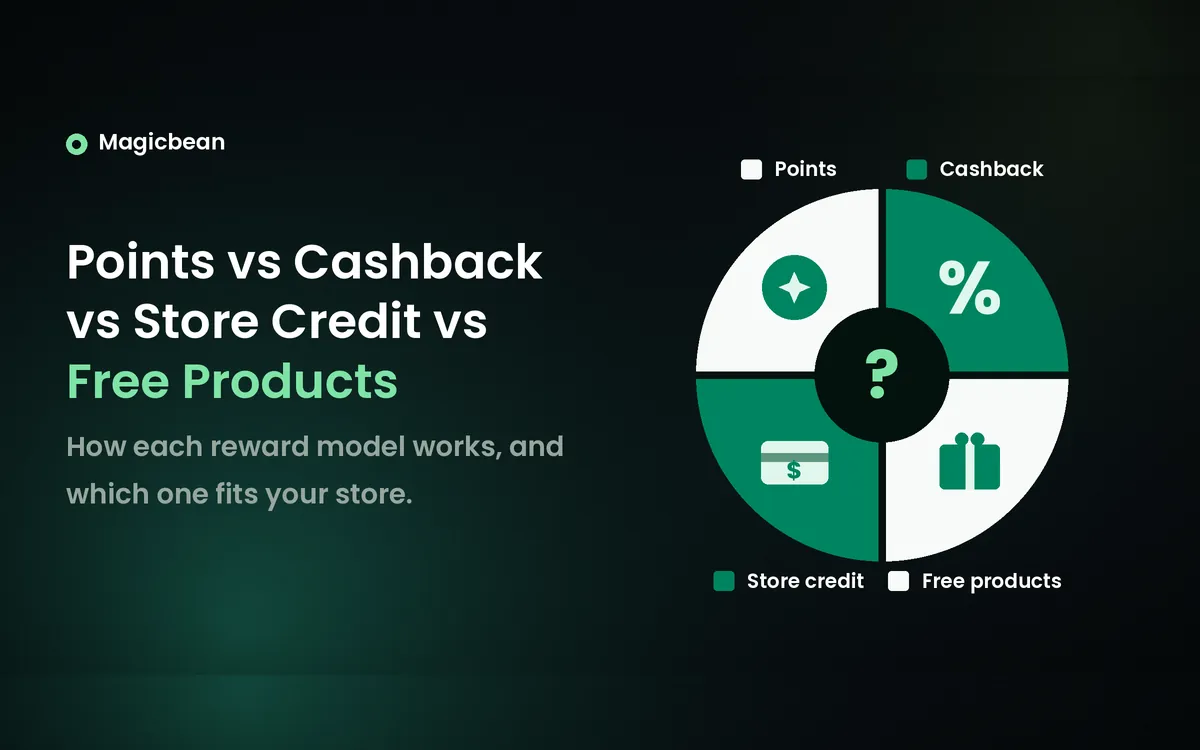
Start by separating what customers earn from what they can actually use. The four labels describe different parts of that process.
- Points: a balance that only exists inside your program and gets exchanged for rewards you define. A balance of 100 points has no fixed cash value until you publish the conversion, so show it next to the balance.
- Cashback: an amount or percentage returned after an eligible purchase. The word says nothing about where that amount lands. It could be withdrawable money or a balance that only works in your store.
- Store credit: a balance customers can spend on future orders in your store. Shopify’s native credit is a payment method at checkout, according to Shopify’s store credit documentation.
- Free products: a specific product or variant the customer receives as a reward, often bought with points. Smile documents this points-to-product route.
Cashback is where most of the confusion sits. In Shopify loyalty apps, it usually means store credit. Joy can replace points with store credit in its Place Order program, while Okendo offers the same choice through its Place an Order rule. Rise.ai puts cashback into its own wallet, where customers redeem it with a wallet code. These rewards stay within the store, so make that clear in the offer. “Back in store credit” leaves much less room for confusion.
The chain runs one way. An eligible action earns points or a direct value, which turns into a reward used at checkout or shipped as a product. Points that convert into native Shopify credit are one hybrid, and points that buy a free product are another.
Keep purchase rewards apart from refund credit, purchased gift cards and goodwill credit. They can share a balance on the account page, but they start in different places. And store credit never means cash in a customer’s bank account.
Compare the four reward models on Shopify
The table compares what each model asks of the shopper and of your team. It has five rows on purpose. Cashback paid as money and cashback paid as credit behave like two different products.
| Reward model | Fits when | What the shopper has to do | What your team runs |
|---|---|---|---|
| Points with a redemption menu | Customers buy often enough to reach a reward, or you have several useful benefits to offer | Understand the conversion and pick a reward | Values, thresholds and terms that stay readable. Points on their own don’t create engagement |
| Cashback paid as money | You want a reward customers can spend anywhere, and your app confirms it can pay out | Learn the payout timing, any minimum and where the money goes | Payout operations and their costs. The money can be spent at another store |
| Cashback paid as store credit | You want a dollar reward with no points conversion | Sign in, see the balance and come back to spend it | A promise that says store credit, with its terms |
| Store credit as a fixed reward | A milestone or a defined action earns a set balance | Know why the credit arrived and where it works | Earning rules and credit redemption, which are separate systems |
| Free product, often bought with points | You have a product or sample customers want, and stock is reliable | Pick the item or variant and understand shipping and any qualifying purchase | Stock, substitutions and fulfillment |
The real trade is simplicity against range. Cashback and fixed credit are easy to explain because a dollar figure needs no conversion. Points ask the shopper to learn a rate, but one balance can then fund $5 off, free shipping and a sample, each priced differently. Free products feel generous and can cost you less than their shelf price, as long as stock and postage cooperate.
Cash payouts are the odd one out. They’re the only model where the reward can leave your store for good. None of the app documentation reviewed for this guide describes paying loyalty cashback to a bank account or card, so get that confirmed in writing by the vendor before any promise uses the word “cash”.
What the same customer earns with each model
Take one shopper who spends $100 on eligible items, and a future reward worth about $5. The $5 is only there to make the rows comparable. It isn’t a recommended rate.
| The promise | What the shopper has after $100 | What the shopper needs to know |
|---|---|---|
| Earn 100 points, and 100 points buys $5 off | 100 points, exchangeable for a $5 discount | Where to redeem, any discount conditions and expiry |
| Earn $5 cashback paid as money | A $5 payout, once the program completes it | Where the money goes, when it arrives and any payout minimum |
| Earn $5 back in store credit | A $5 balance on their store account | It only works in your store. Sign-in and checkout rules depend on the setup |
| Earn a free product reward | Eligibility for a named product under its own rule | Which item it is, any qualifying purchase and shipping |
The product row is the one people fudge. A sample with a $12 shelf price isn’t a $12 reward to you, and it may not feel like $5 to a shopper who doesn’t want it. Don’t claim equal value unless the item’s normal price backs it up.
Cost works differently in each row too. A $5 discount or $5 of credit lowers what the customer pays on a later order. A product has its own purchase and fulfillment cost, and extra postage, a stockout or a substitution can wipe out the saving you assumed. A cash payout moves money out of the business even if the shopper never comes back. None of that tells you which design makes more profit. What the customer sees, what you pay and any extra profit are three separate numbers, and the loyalty program profit margin guide works through all three.
Which reward model fits your store?
How often people buy decides more than what you sell. A customer who reorders every five weeks will reach a reward and spend it. Someone who buys a sofa every six years won’t, whatever you call the reward.
| Store situation | Reasonable starting design | What could change it |
|---|---|---|
| Replenishment products with short repeat intervals | Plainly stated credit back, or simple fixed-value points | A reward too small to bother with, or one hidden behind sign-in |
| Beauty or discovery-led catalog | Points with a useful product option and a money-off alternative | A sample nobody wants, unstable stock or confusion over variants |
| Infrequent, expensive durable goods | A low-threshold benefit customers can use on accessories, tested before any long points ladder | Customers with no next relevant purchase. A reward can’t invent one |
| Subscription-heavy store | Check the subscription integration before you choose | Native credit can’t pay recurring bills |
| Online and in-store sales | A reward with a tested earn-and-spend route in both places | Credit working at POS proves nothing about app earning or product rewards there |
Replenishment stores have the easiest call. The next order is coming anyway, so a dollar figure on the account does most of the work. Points work too if the conversion is simple, and the guide on how many loyalty points per dollar to give covers the rate.
Durable goods need honesty about the gap between orders. A smaller benefit on care kits or accessories is easier to use and easier to measure than a balance that sits untouched for three years.
Subscription brands should check the stack before designing anything. Shopify’s native credit pays the first subscription order and stops there. Recharge applies its own credits to recurring orders as discount codes, so write a promise your setup can keep. The roundup of loyalty apps for subscription brands compares apps for that setup.
Stores with a counter should test both channels end to end. Native credit is accepted on Shopify POS, but that says nothing about whether your app earns points in store or redeems product rewards there. The guide to syncing loyalty points between Shopify POS and online shows where that usually breaks.
Shopify limits that can change your choice
A handful of platform rules decide which designs are practical. Most of them apply to Shopify’s native credit.
Native store credit rules
- Sign-in: customers must be signed in with customer accounts or Shop Pay to use credit online. Native store credit isn’t supported on legacy customer accounts.
- Channels: credit works in the online store, on Shopify POS and in the Shop app.
- Applying it: customers select Apply store credit at checkout. They can’t choose a partial amount of their store credit to apply.
- Subscriptions: credit can pay the initial subscription purchase. Recurring subscription bills are excluded.
- Currency: only the balance that matches the checkout currency shows at checkout.
- Fees: for stores created on or after 12 May 2025, third-party transaction fees apply to the portion paid with credit, even with Shopify Payments. POS orders are exempt, and Shopify Plus stores can have the fee waived when Shopify Payments is their only payment provider.
If you’re still weighing Shopify’s built-in credit against an app, the comparison of a loyalty app vs Shopify store credit covers that call. And check expiry against the rules in your market. An expiry setting in an app doesn’t mean expiry is allowed where you sell.
Free product stock and restrictions
Smile’s documentation warns that its free-product rewards don’t check inventory, so they can stay visible and redeemable after the item sells out. Yotpo goes the other way. Its free product rewards keep a separate reward stock count, and redemption stops once those allocated units are gone. Two apps, two behaviors. Test yours with a sold-out variant before launch.
Minimum spend has its own trap. Smile’s reward restrictions apply an online free-product minimum to the discounted product’s price, while at POS the minimum is checked against the whole cart. Find out which rule your app uses before you lean on a minimum to protect cost.
Store credit and discount codes use different controls
Native store credit is a payment method. Shopify’s discount combination rules govern how discounts combine. So a credit balance doesn’t pick up a coupon’s product exclusions, minimums or no-stacking settings. Put a sale item, a promo code and some store credit in one test cart and see what checkout actually does.
When a hybrid reward design makes sense
Two combinations come up again and again. The first is points that convert into native Shopify credit. Smile documents points redeemed for Shopify store credit, and once it’s issued, Shopify manages the balance. Customers earn in points and spend in dollars.
The second is points that buy a free product, sitting next to a fixed money-off reward. The product gives regulars something to aim for. The discount is there for everyone who’d just like $5 off.
More choice has a clear appeal. In Magicbean’s study of 3,410 Shopify loyalty app reviews, 30% of reward-praise mentions named flexible program options, the most common reason given. Customers still have to understand how those options work. Two balances with two conversion rates take more explaining at checkout. Start with one earning message and one redemption route, then add another when you know who will use it. If your current app can’t support the route you want, the shortlist of the top loyalty apps for Shopify is a useful place to compare.
Test the reward before changing the whole program
Run every test on a development store first. Pay particular attention to redemption and try to break the flow before a customer does.
- Write the customer promise in one sentence. Include the eligible spend or action, the reward, when it becomes available, where it can be spent and any expiry. Say “back in store credit” if customers can’t withdraw it.
- Place a test order and check earning, how the reward shows on the account, redemption, and a smaller later purchase.
- For product rewards, redeem the intended variant, then try a sold-out one.
- Repeat on mobile, on every channel you sell through and with the sign-in route a real customer would use.
- Put a sale item and a promo code in the cart with the reward. Then refund one test order and note what happens to earned points or credit, issued rewards and spent rewards. Don’t assume anything gets clawed back automatically.
To compare two designs, keep reward value and exposure close, change one thing at a time and, where traffic allows, randomly assign comparable customers. A whole-store before-and-after is weaker, since season and customer mix shift too.
Match the observation window to your repeat cycle. Track repeat purchase rate and time to next order, redemption within the same earned-reward group, support contacts, and contribution after all reward costs and fees. A higher redemption rate means more rewards got used. It doesn’t prove extra orders or profit, and a small sample can’t name a winner.
Bottom line
Pick the reward customers can use before their next order and your team can deliver without workarounds. In our view, one clear payout does more for most stores than a clever stack of four. When you’ve picked, the Shopify loyalty program setup guide takes you through the launch.
FAQs
How do points vs cashback rewards compare on Shopify?
Neither is better for every store. Points need a conversion step but can fund several rewards, while cashback states a dollar amount up front. The labels also overlap, since Smile lets points redeem for Shopify store credit and Rise.ai pays cashback as store credit. Compare what each one actually pays out.
Is cashback the same as store credit?
Only when the program pays its cashback as store credit. Joy, Okendo and Rise.ai all deliver cashback as a store balance that customers can spend only in that store. Cashback paid as actual money can be spent anywhere. Check the payout before the word “cashback” goes into a promise.
Can customers redeem loyalty points for store credit or free products?
Yes, when your app and plan support those routes. Smile documents both, points to native Shopify credit and points to a free product. Support varies between apps and plans, so confirm each route in your app’s documentation before you build a reward menu around it.
Are free-product rewards cheaper than money-off rewards?
Sometimes, because a product usually costs you less than its retail price. Product cost, extra shipping, stockouts and substitutions all change the result, so there’s no fixed saving. Smile’s free-product rewards don’t check inventory, while Yotpo’s stop at a set reward stock. Work out the full cost before you choose.
Can Shopify store credit pay for subscription renewals?
No. Native Shopify store credit can pay the initial subscription purchase, and it can’t pay recurring subscription bills. Recharge applies its own credits to recurring orders as discount codes. If renewals matter to your program, check your subscription app’s documentation before you promise a credit-based reward.
Can I combine points, credit and free products in one loyalty program?
Yes, if your app supports several reward routes. Smile, for example, lets points redeem for store credit or for a free product. Tell customers which balance pays for which reward, and test combinations at checkout, because two rewards existing doesn’t mean both can apply to one order.
Emily Johnson
Writes clear, practical guides that help Shopify store owners make more money and save time. Instead of confusing technical jargon, she focuses on what actually matters to a business: how the right tools can boost sales, automate boring tasks, and make customers happier.