Loyalty & Rewards
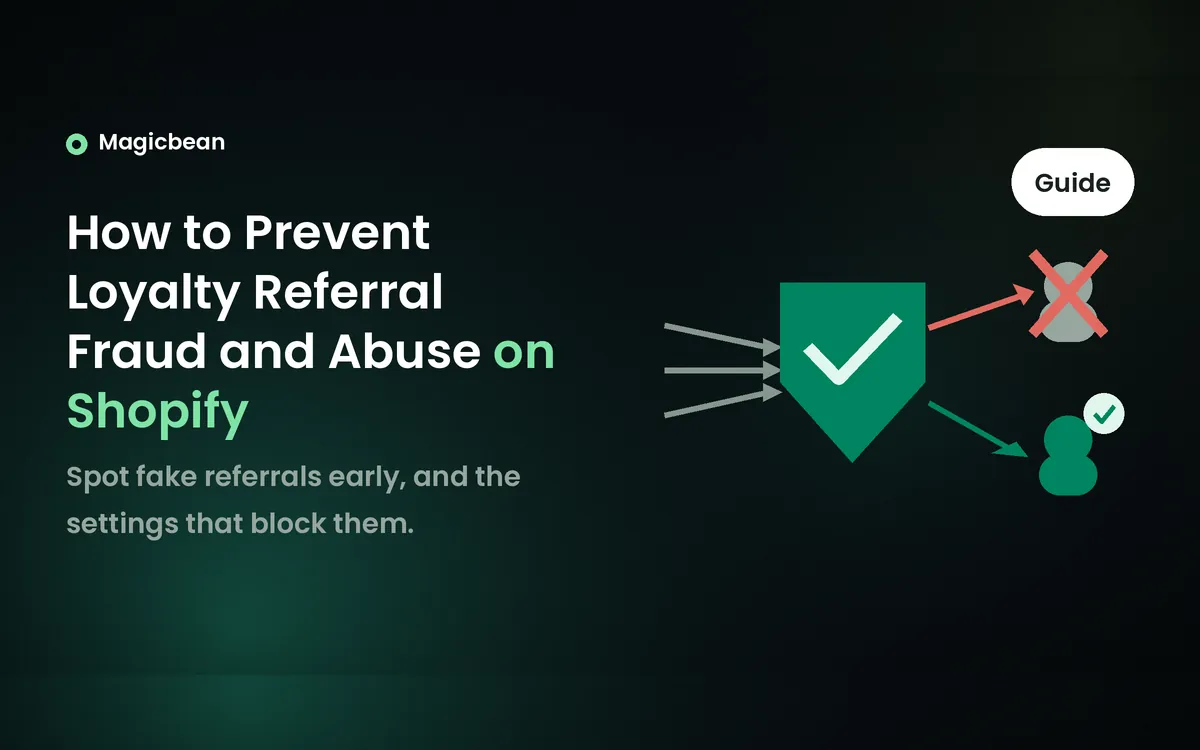
How to Prevent Loyalty Referral Fraud and Abuse on Shopify
A customer shares their referral link with a second email address of their own. The friend discount gets used on the first order, then the advocate reward lands a few days later. One buyer collected both sides of the referral, and the app may have flagged it without stopping either reward.
Referral fraud on Shopify is hard to catch because the two sides of a referral are checked at different moments. Blocking a referral, cancelling a reward and cancelling the Shopify order are three separate actions. A block that arrives after checkout won’t bring back a discount the friend already spent.
Set the eligibility rules first, then switch on the checks your app supports. Keep the advocate reward pending while a referral can still be reviewed, give someone ownership of the flag queue, and test full and partial refunds. When abuse is confirmed, deal with the friend’s code and the advocate’s reward separately.
Summary
- The fix: treat the friend’s discount and the advocate’s reward as two separate exposures, and keep referral decisions apart from decisions about the Shopify order.
- The step most often missed: acting on flagged referrals before the review deadline. In ReferralCandy, a flagged referral still completes if nobody acts in time.
- What to check afterwards: run a full refund and a partial refund through a test referral and record what happens to the friend code, the advocate reward and the points balance.
What counts as referral fraud on Shopify?
Referral fraud is any referral that collects a reward your program terms don’t allow. In this guide, the advocate is the customer who shares the referral and the friend is the shopper who receives it.
Most cases fall into five patterns. Some of them look a lot like innocent behaviour, so each one comes with a limit on what it proves.
| Pattern | What to check | What it doesn’t prove |
|---|---|---|
| Self-referral or duplicate accounts | The app’s block reason, customer history, related account details and repeated claims | A similar email or surname is a signal. It doesn’t prove one person is behind both accounts. |
| An existing customer claiming the new-customer offer | How your app defines a new customer (prior order, account, guest order) | A new email address isn’t proof of a new shopper. |
| A code posted on coupon sites | Usage of the flagged code, compared with your published terms | Public sharing breaks the rules only if your terms ban it. A third party may have copied the code. |
| A reward kept after a refund or cancellation | Reward status, full or partial refund and the remaining qualifying spend | A refund on its own is no evidence of abuse. |
| Many small qualifying orders or fast reward build-up | Minimums, caps, review deadlines and links between referrals | High volume can be a genuine advocate. An app’s alert thresholds are its own product rules. |
Keep referral eligibility apart from the question of whether to fulfil the order. A paid order can still break your referral terms, and a referral can be valid even when you cancel the order for a stock problem.
What you can still stop at each stage
The stages overlap. An advocate reward can still be pending after the friend has spent their discount, so check each side on its own.
| Stage | What you can still stop | What you can’t assume is recoverable | App notes |
|---|---|---|---|
| Code claimed, no order yet | The friend’s unused code, if your app lets you void or bind it | Nothing has been spent yet | Smile checks again when the order is placed, so a claim that passes can still be blocked. |
| Friend’s order placed | The advocate reward, while it’s still pending | The friend’s discount on that order | Smile can block the advocate reward at this point, after the discounted order exists. |
| Advocate reward pending | Release of the reward, by cancelling, disqualifying or deleting the purchase | Anything the friend already used | ReferralCandy extends a flagged referral’s review to 14 days. With no action, the reward can still go out. |
| Advocate reward issued, unused | Unused codes and points, where your app voids them | Cash or store credit already paid | Smile voids unused referral discount codes when you cancel a referral. |
| Reward spent or paid out | Future rewards to the same advocate | The spent discount, points or cash | Smile can leave a negative points balance. Once ReferralCandy’s review period ends, rewards already issued aren’t recalled. |
What you’ll need
- Your app’s documented controls: the eligibility rules, fraud checks, review period and cancel actions it actually has. Joy currently includes referral fraud prevention on its free Starter plan. If your app lacks a control you need, compare options in our list of Shopify referral apps.
- A named reviewer: one staff member who owns flagged referrals and their deadlines.
- A test route your app’s support approves: so test referrals don’t need bypass accounts or switched-off production checks.
- Time: this depends on your app, how many referrals you review and whether support has to confirm how reversals work.
Step 1. Define eligible customers and qualifying orders
Write the rules before you touch any automation. Every check and every review decision later depends on them. Your terms should say who can refer, what counts as a new customer, which purchase qualifies and what the program prohibits.
Read your app’s definition of new before you rely on it. In Smile, a friend who has already created a store account or placed an order, including a guest order, can’t claim the friend reward. Love Loyalty limits friend rewards to new customers and gives the advocate their reward after the friend completes and pays for a purchase. Requiring a customer account is optional there.
Decide whether household referrals and public code posting are allowed. Don’t describe either as prohibited unless your terms say so.
Then set two minimums. The friend’s coupon minimum controls when the discount applies. The qualifying spend controls when the referral earns the advocate a reward. They’re often separate settings, and our guide to designing a points program that protects your margin covers what each can afford to give away.
Step 2. Configure referral checks and coupon restrictions
Switch on the checks your app actually exposes. Joy is a documented example. Go to Reward programs > Referrals and open the Anti cheat step, which lists similar email detection, browser tracking, IP address monitoring and previous purchase history. Smile’s checks run automatically when a friend claims a code and again when the order is placed.
Treat each block reason as one piece of evidence. A shared surname, a shared address or the same office Wi-Fi can belong to a real household or team. And a referral with no IP match isn’t automatically safe.
Next, look at the friend’s coupon. A code limited to one use in total can’t be used twice, but it has no idea who is using it. Shopify’s one-use-per-customer limit tracks customers by email or phone, so it stops repeat use by the same contact details without verifying the person.
Smile can go a step further for the friend’s code. It links the referral discount to the recipient’s customer account, so only that account can use it at checkout. The setting is off by default, the friend has to sign in, and it doesn’t cover the advocate’s reward. That sign-in adds friction for genuine friends, so weigh it against how often your codes leak.
Expiry dates, minimum spend and combination rules limit what a leaked code can cost. They don’t confirm who the buyer is. The app manages the codes it generates, so ask its support before editing one in Shopify admin.
Step 3. Match reward release to the review window
Keep the advocate reward pending while a return or manual review could still change whether the referral qualifies. Choose the hold period around your return window and how often your team checks the queue.
Release points differ more than the menus suggest. ReferralCandy has a purchase review period, set in Shopify admin under Campaigns > Settings > Purchase Review Period. During it, you can approve a referral early, delete the purchase or disqualify the referral. When ReferralCandy flags a referral as suspicious, it extends that referral’s review to 14 days if your period is shorter.
Joy rewards a referral when the order reaches Paid or Fulfilled, chosen under Settings > Order > Reward by order status. Fulfilled is later than Paid, but it isn’t a return hold. A customer can still send the order back after it ships. Love Loyalty’s guide describes the advocate reward going out after the friend pays and doesn’t document a separate return-window hold.
So find where your app’s release point sits. If it pays on payment or fulfilment, your refund handling in Step 5 carries more of the load.
Step 4. Review flags without blocking genuine customers
Assign one person to the queue and have them check the closest deadline first. In ReferralCandy, a flag doesn’t stop completion. A qualifying purchase still under review when its period ends counts toward the reward and toward ReferralCandy’s success fee, so you have to act before the window closes. During an active incident, checking daily is a sensible cadence. That’s our operating suggestion, and no vendor requires it.
For each flag, record these fields.
- Case: referral ID, order ID, advocate and friend records, claim and order dates
- Evidence: block reason, purchase history, matching signals and the eligibility rule involved
- Reward state: friend code unused or used, advocate reward pending, issued or spent, and the review deadline
- Decision: approve, keep in review, cancel or disqualify, or contact app support, with who decided and why
- Follow-up: any customer message, and whether codes or points actually changed
Use only customer and order data your team is already authorised to see. Card numbers, CVVs and identity documents have no place in a referral review.
When the evidence points to a real customer, approve the referral and note what caused the false positive. A blocked Smile referral stays blocked until you unblock or cancel it. ReferralCandy lets you approve early and exclude a contact from future suspicious-referral detection. If you contact a customer, keep the message neutral and tell them how to ask for a review.
Step 5. Test full and partial refunds before you launch
Before promoting the program, run these cases in a test store. Magicbean’s study of 3,410 Shopify loyalty app reviews found that 19% of reliability complaints involved points, emails or sync. Referral rewards depend on all three, so test the full path before customers start using it.
- A valid referral from a new customer
- An existing customer trying to claim the friend offer
- A self-referral attempt your app documents as blocked
- A code used by someone other than the intended friend, where your app binds codes
- A full refund of a referred order
- A partial refund that drops the order below the qualifying spend
- An order cancelled without a refund
- A refund after the advocate has already redeemed their reward
Record the friend discount, the advocate reward, the points balance and the Shopify order status separately for each one.
Expect apps to handle these cases differently. In Smile, a full refund cancels the referral automatically and voids unused referral discount codes on Shopify. A partial refund or a cancellation without a refund doesn’t, so you cancel those referrals yourself under Programs > Activity > Referrals. If the advocate already spent the points, a refund can push their balance below zero.
ReferralCandy picks up Shopify refunds while the referred purchase is still in its review period. A fully refunded purchase stays in the list at $0. ReferralCandy advises setting a minimum purchase amount of at least $1 so a fully refunded purchase recorded at $0 does not earn a reward. After the review period, support can still correct the record, but rewards already issued aren’t recalled.
Fraud checks can block your own test referrals too, as Smile’s documentation points out. Use the test method your app’s support approves. Don’t switch off production checks or create bypass accounts to force a pass.
What to do when you find referral fraud on Shopify
Once you’ve confirmed abuse, stop any further rewards first. Then deal with the friend’s code and the advocate’s reward based on whether each is unused, pending or already spent.
- Save the referral and order IDs, flags, reward states and dates before anything changes.
- Stop further payouts with the controls your app supports, such as keeping a referral in review or cancelling it.
- Disable exposed codes that haven’t been used yet, if your app allows it.
- Ask support what pausing the campaign does to pending rewards and live codes. Hiding the widget or pausing an email can leave both active.
- Resolve each reward by its state. Banning an advocate in ReferralCandy is permanent and disqualifies their pending referrals, so keep it for confirmed abuse. Leaving a referral in review is a different, temporary action.
Keep the order decision separate. Cancelling a referral leaves the Shopify order in place, and cancelling an order doesn’t always cancel the referral. A used discount or a cash payout may be gone for good, so don’t promise to charge a customer’s card or to reclaim cash by cancelling a record in the app.
Pre-launch checklist
Run these six checks before you promote a referral campaign. If you’re still building the program itself, start with our guide to creating a loyalty program on Shopify.
- Eligibility rules are written down, including what a new customer means in your app
- The fraud checks your app exposes are switched on
- The friend’s coupon minimum and the advocate’s qualifying spend are set separately
- Reward release matches your return window and how often staff review flags
- A full refund, a partial refund and a cancellation have been tested on a test referral
- One named person owns flagged referrals and their deadlines
Bottom line
Treat the friend’s discount and the advocate’s reward as two separate exposures, and hold the advocate reward until your review and return windows can still catch a bad referral. After launch, rerun the refund tests whenever you change apps or the qualifying spend.
FAQs
Does Shopify have built-in referral fraud protection?
Shopify’s order fraud analysis isn’t a dedicated referral-abuse check. It assesses chargeback risk on eligible orders, so a paid, low-risk order can still break your referral terms. Referral eligibility and reward controls come from your referral app or a custom build.
Should I block everyone who shares an IP address or household?
A shared IP address or household is a signal to review, and on its own it doesn’t prove abuse. Families and coworkers on office Wi-Fi often share both. Send these referrals to manual review and decide from purchase history and your published terms.
Does a new email address make someone a new customer?
A new email address doesn’t make someone a new customer. Each app defines new in its own way. Smile treats a friend who already created an account or placed a guest order as ineligible, and Shopify’s one-use-per-customer limit tracks email or phone without verifying the person.
Should referral rewards wait until after the return window?
Holding the advocate reward until returns are likely to clear cuts payouts on refunded orders, but no single hold length suits every store. Apps also release rewards at different points. ReferralCandy has a configurable review period, Joy rewards on Paid or Fulfilled, and Love Loyalty rewards after the friend pays.
What happens to a referral reward after a full or partial refund?
Referral reward handling after a refund depends on the app and on the refund type. In Smile, a full refund cancels the referral automatically and a partial refund doesn’t. ReferralCandy records a fully refunded purchase at $0 during the review period, which is why it advises a minimum purchase of at least $1.
Does cancelling a referral recover an already-used discount?
Cancelling a referral doesn’t recover a discount the friend has already used. In Smile, cancelling voids unused referral discount codes and adjusts points, but a spent discount stays spent. Limit the exposure earlier with recipient-bound codes, minimums and a review period on the advocate reward.
Emily Johnson
Writes clear, practical guides that help Shopify store owners make more money and save time. Instead of confusing technical jargon, she focuses on what actually matters to a business: how the right tools can boost sales, automate boring tasks, and make customers happier.